

AI Gap Between Small Business and Enterprise Just Closed
Anthropic's Claude for Small Business connects directly to your SaaS

Hey Productivity Explorer,
If you run a business, big or small, you know that feeling at 11 pm when you’re still at your desk, and the work just keeps coming. The invoice that needs chasing, the campaign that needs building, the books that need closing.
You probably already have some AI in the mix of ChatGPT, Claude, or Gemini, and you’ve used them to write an email, brainstorm an idea, or clean up a report.
But having AI available and having AI actually working inside your business are two completely different things. You’re still the one typing every query, copying the answer into the right place, and switching between tools to get one thing done.
On average, SMBs run 72 different software applications.
That’s pretty significant
A lot of these SaaS come with their own AI, which adds to the complexity.
The manual, repetitive work that eats your day didn’t go anywhere. You just added one more window to your browser.
The tools you use every day, your books, your CRM, your invoicing, your campaigns, they aren’t connected to anything. So even when AI gives you a great answer, you’re still the one who has to do something with it because these tools are disconnected.
That is about to change.
Anthropic launched Claude for Small Business this week, and the difference between this and everything you’ve tried before is exactly that connection.
It lives inside QuickBooks, HubSpot, PayPal, Canva, and DocuSign. It does the work within the tools and waits for your approval before anything moves.
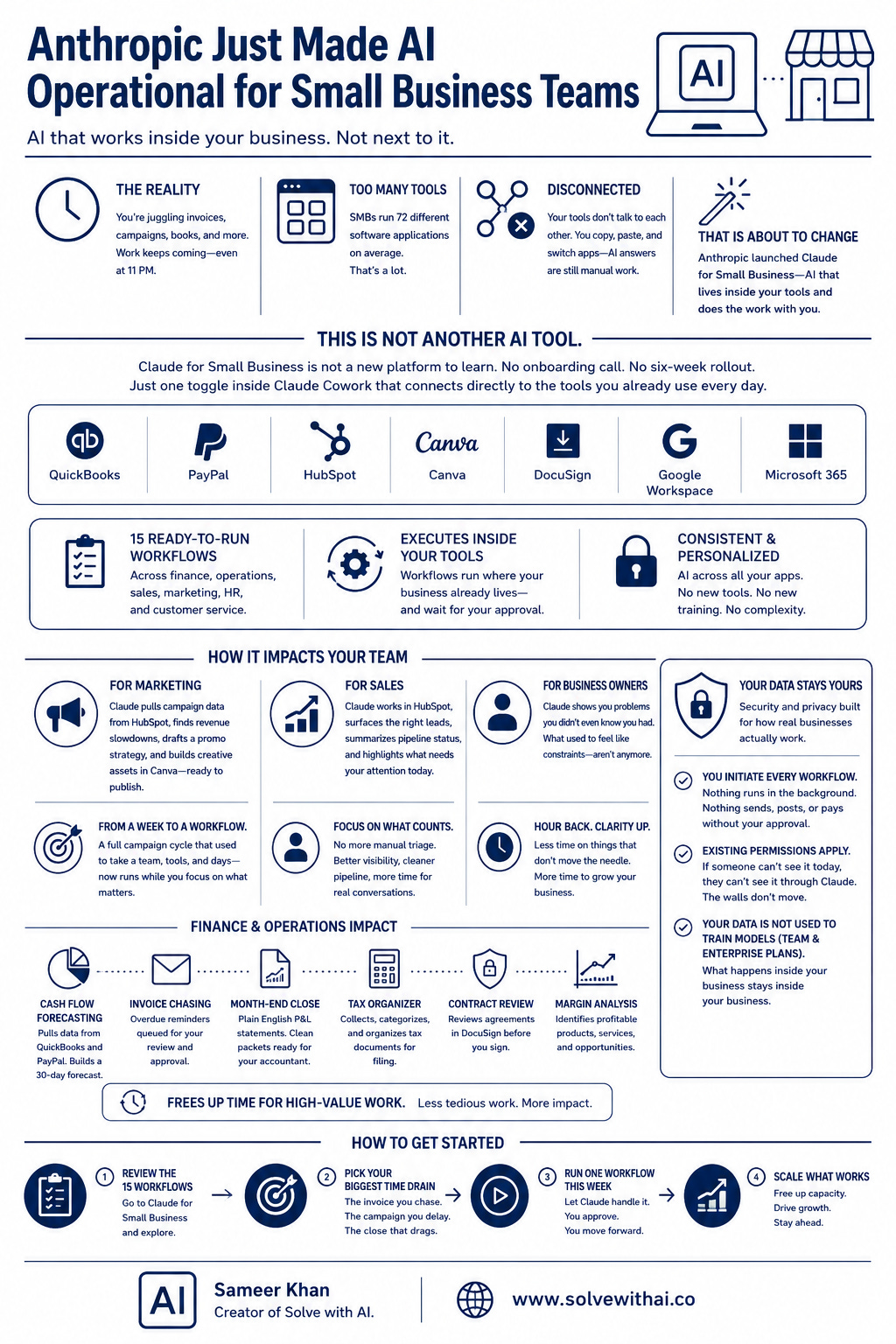
Table of Contents
This Is Not Another AI Tool
How Does It Impact Your Sales and Marketing Team
Finance and Operations Impact
How To Get It Running In Five Minutes
Your Data Stays Yours
This Is Not Another AI Tool
Claude for Small Business is not a new platform to learn.
I would hate to learn a brand-new platform and spend hours trying to figure things out.
There is no onboarding call, no implementation consultant, or six-week rollout. It is a single toggle inside Claude Cowork that connects directly to the tools you are already running every day.
QuickBooks
PayPal
HubSpot
Canva
DocuSign
Google Workspace
Microsoft 365.
The software your business already depends on. Claude plugs into all of it.
Fifteen ready-to-run workflows across finance, operations, sales, marketing, HR, and customer service. So you don’t have to tweak and figure out the perfect prompt.
Actual workflows that execute inside your existing tools and wait for your approval before anything moves.
What makes this different from every other AI tool you have tried is exactly that connection. Think about what your day actually looks like.
Think about where your business actually lives right now.
You've got your books in QuickBooks, pipeline in HubSpot, invoices running through PayPal, contracts waiting in DocuSign, and content being built in Canva.
Having Claude directly accessible within these platforms does two things:
You don’t need another AI that ships with your SaaS.
You can get consistently and personalized AI experience across your apps.
The COO of Purity Coffee said something that stuck with me after reading this announcement. He said Claude did not just solve his problems. It showed him problems he did not know he had. That is the difference between a chat window and AI that is actually inside your business.
How Does It Impact Your Sales and Marketing Team?
Let’s talk about what this actually looks like for the people running your marketing and sales.
For Marketing, Claude pulls your campaign performance data straight from HubSpot, finds the slow stretch in your revenue, drafts a promo strategy around it, and then builds the actual creative assets inside Canva, ready to publish.
That is a full campaign cycle that used to require a team, a briefing meeting, three tool switches, and a week of back and forth. Now it is one connected workflow that runs while you focus on the decisions that actually need you.
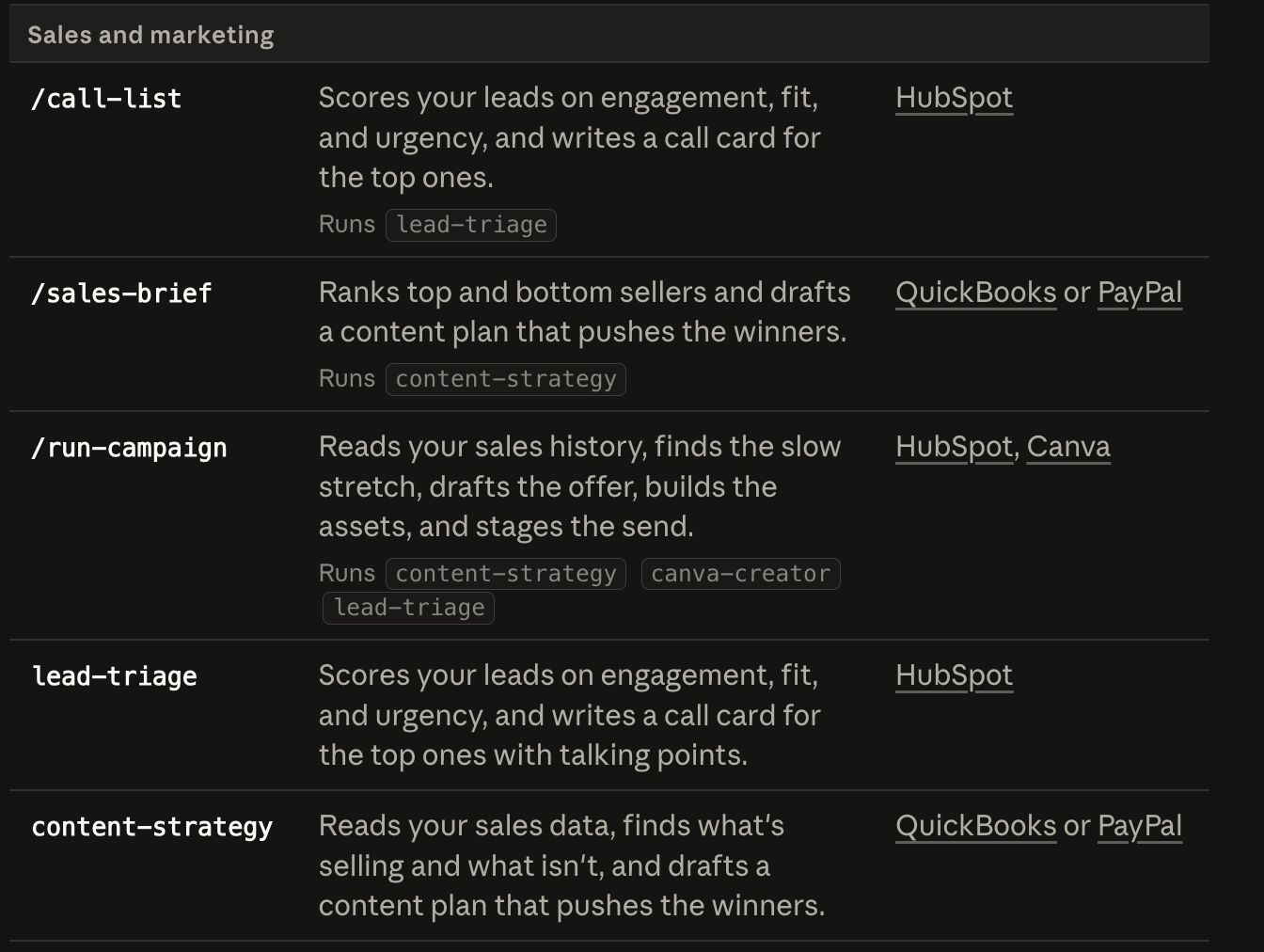
For sales, your lead triage is no longer a manual exercise where someone is eyeballing a spreadsheet and making judgment calls about who to follow up with first.
Claude works inside HubSpot, surfaces the right leads, summarises where each one is in the pipeline, and tells you what needs attention today. HubSpot’s own product team said it best when they described it as getting tailored answers, summaries, and pipeline visualisations from your customer data without ever switching tools.
The friction between your data and your next decision is gone.
Finally, for the business owner sitting above all of it, the CEO of Simple Modern put it in a way that is hard to argue with. He said what they used to think were constraints simply are not constraints anymore. Hours of looking at things that did not matter are gone.
That is what it feels like when AI is finally working inside your business instead of sitting next to it.
Finance and Operations Impact
Now let’s talk about the part of running a business that nobody sees, but everybody feels.
The payroll needs and the invoice that has been sitting unpaid for three weeks, and you keep meaning to chase it. This is the work that doesn’t show up on your calendar but somehow fills every gap in your day.
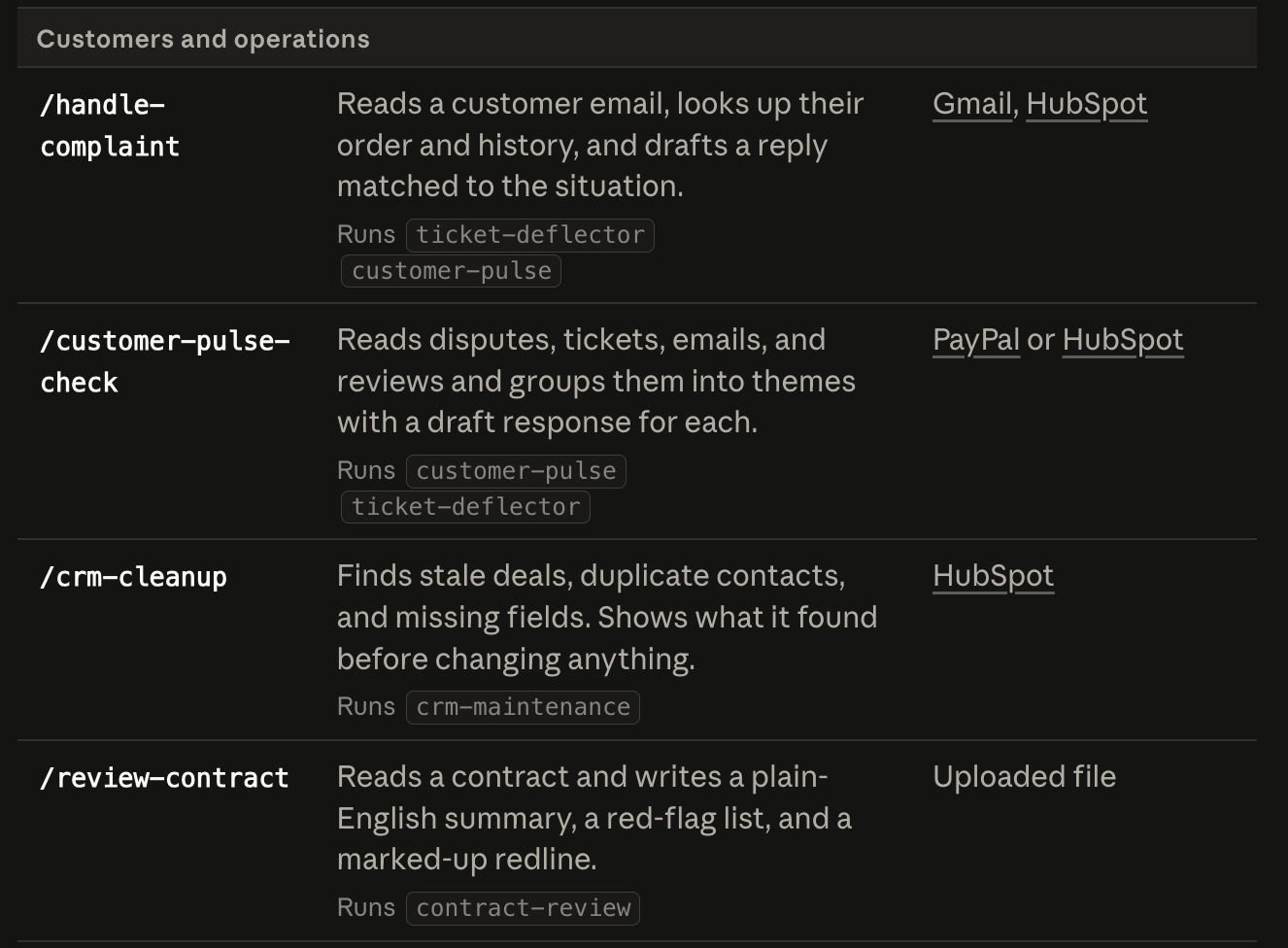
Claude for Small Business has workflows built specifically for this. It pulls your cash position from QuickBooks, checks it against your incoming PayPal settlements, builds a 30-day forecast, and queues the overdue invoice reminders for you to approve and send.
Your month-end close goes from a painful afternoon of reconciling and second guessing to a plain English profit and loss statement that exports as a clean packet you can forward straight to your accountant.
Tax season gets its own organiser.
Contracts get reviewed.
Margins get analysed.
None of this requires you to learn anything new or set anything up. You pick the workflow, Claude does the work, and nothing moves until you say so.
This frees up time that used to be a lot of very tedious clerical work, so his team could focus on higher value tasks instead.
Your Data Stays Yours
At this point, you might be thinking, this sounds good, but what happens to my business data when AI is connected to everything.
It is a fair question. In fact, when Anthropic surveyed small business owners directly, half of them named data security as their single biggest hesitation about AI.
So let’s deal with it straight.
I am not going to take Anthropic's word verbatim, so I had to do some research.
Sensitive data makes up 34.8% of what employees are putting into AI tools like ChatGPT today, up from just 11% in 2023.
Basically, you are putting a third of your business and personal data into AI without knowing where this goes.
Most of the time, it is not intentional. People are just trying to get their work done faster, and I understand that.
A KPMG report found that 69% of business leaders now cite AI data privacy as a concern, a significant jump from 43% just six months earlier. 60% of companies hit by a cyberattack close their doors within six months.
Here is my honest take because any time a new tool asks to connect to your books, your CRM, and your payment processor at the same time, your guard should go up.
How To Get It Running In Five Minutes
You need the Claude desktop app on a Pro, Max, or Team plan. That is the only prerequisite. Once you have that, the whole thing takes about five minutes.
Open Cowork, click Customize in the left sidebar, find Plugins, hit the plus button, and install Small Business.
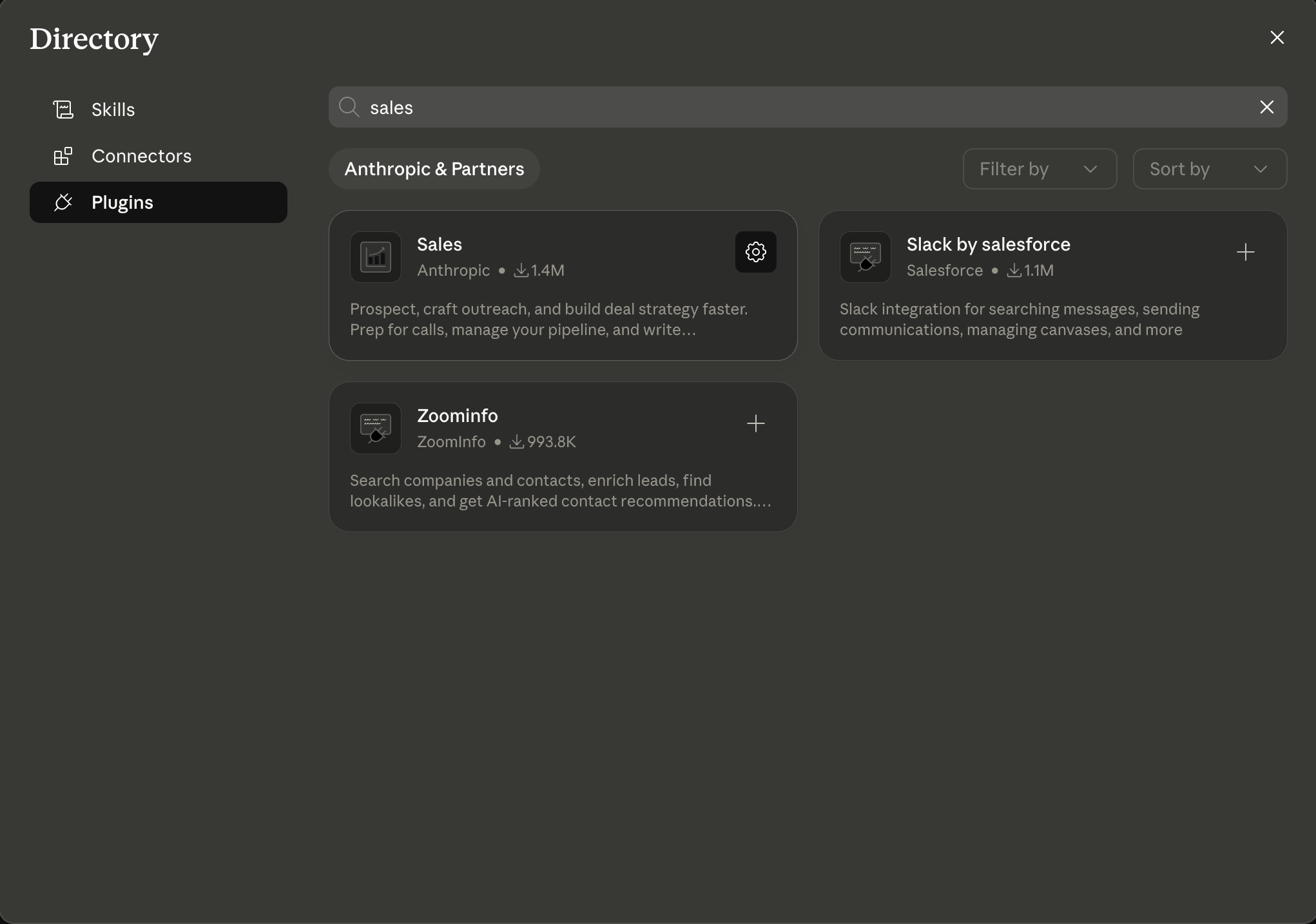
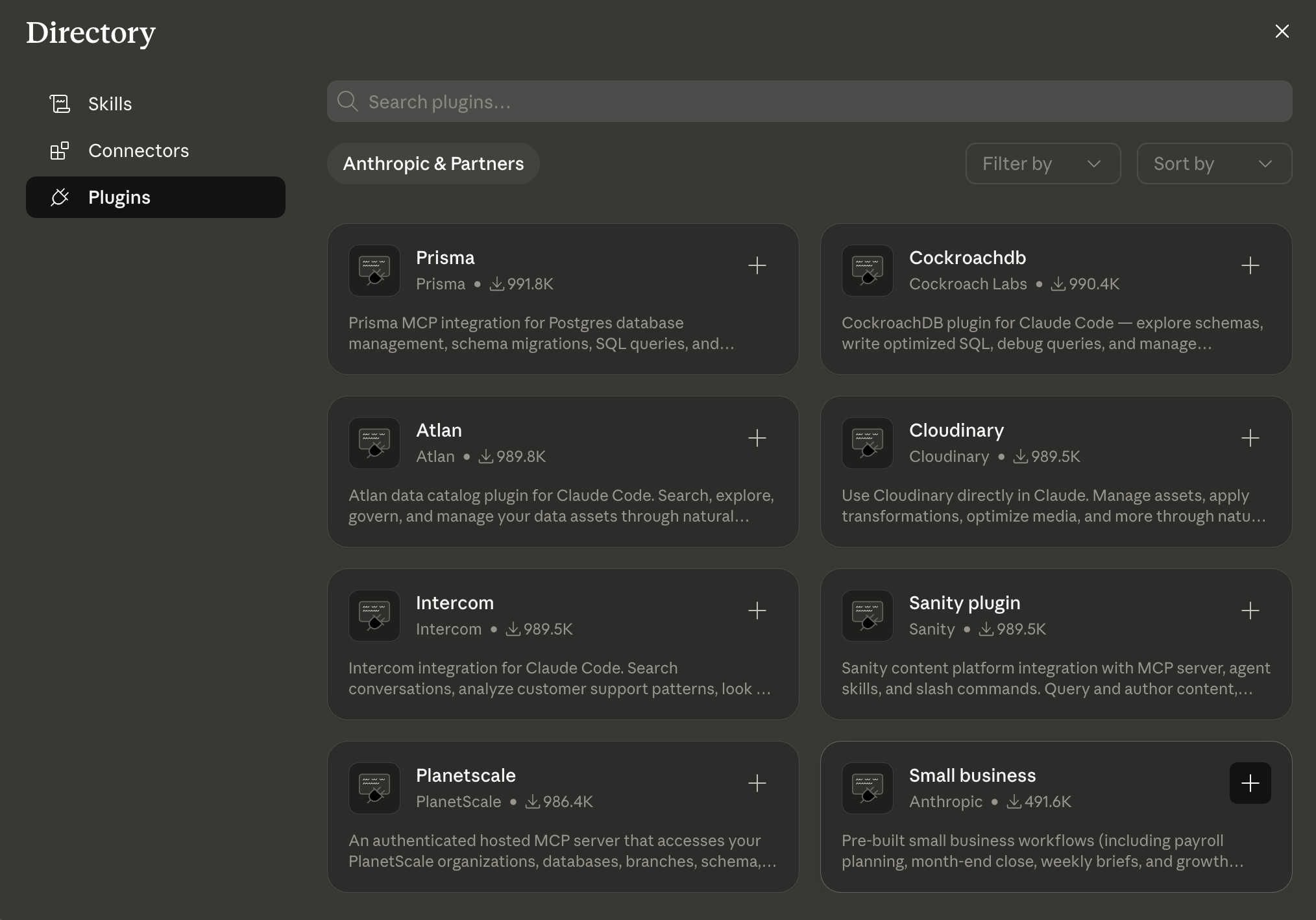
From there, you have two ways to run it. You can type a forward slash and pick a workflow directly from the list, or you can just describe what you need in plain English, and Claude figures out which workflow fits.
To run a skill:
Type
/in the Cowork chat bar and pick it from the list, orDescribe the job in plain English and Claude picks the skill that fits.
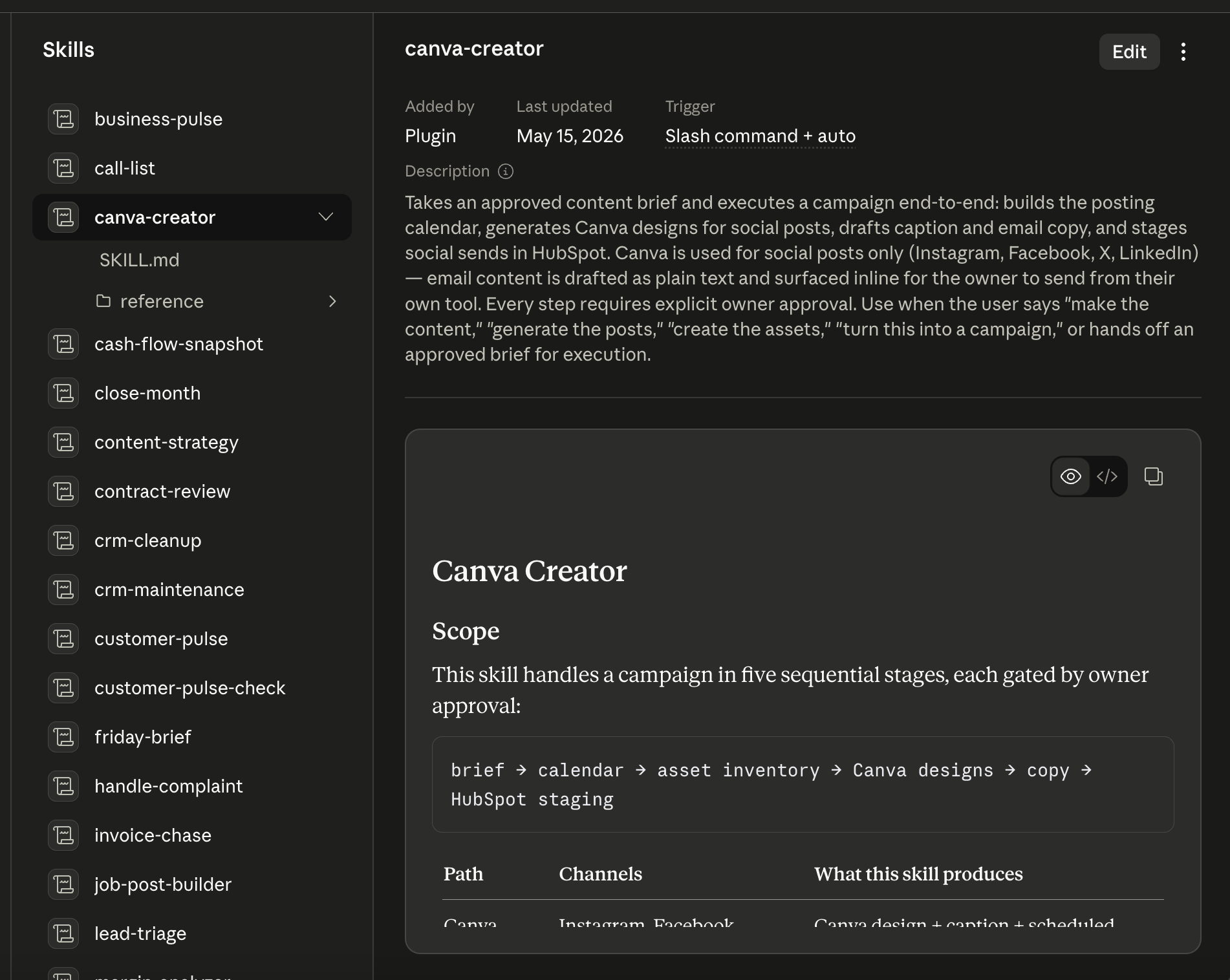
Something like “which invoices are overdue and who should I chase first” is enough. You do not need to know the exact command. You just need to know what is bothering you most right now.
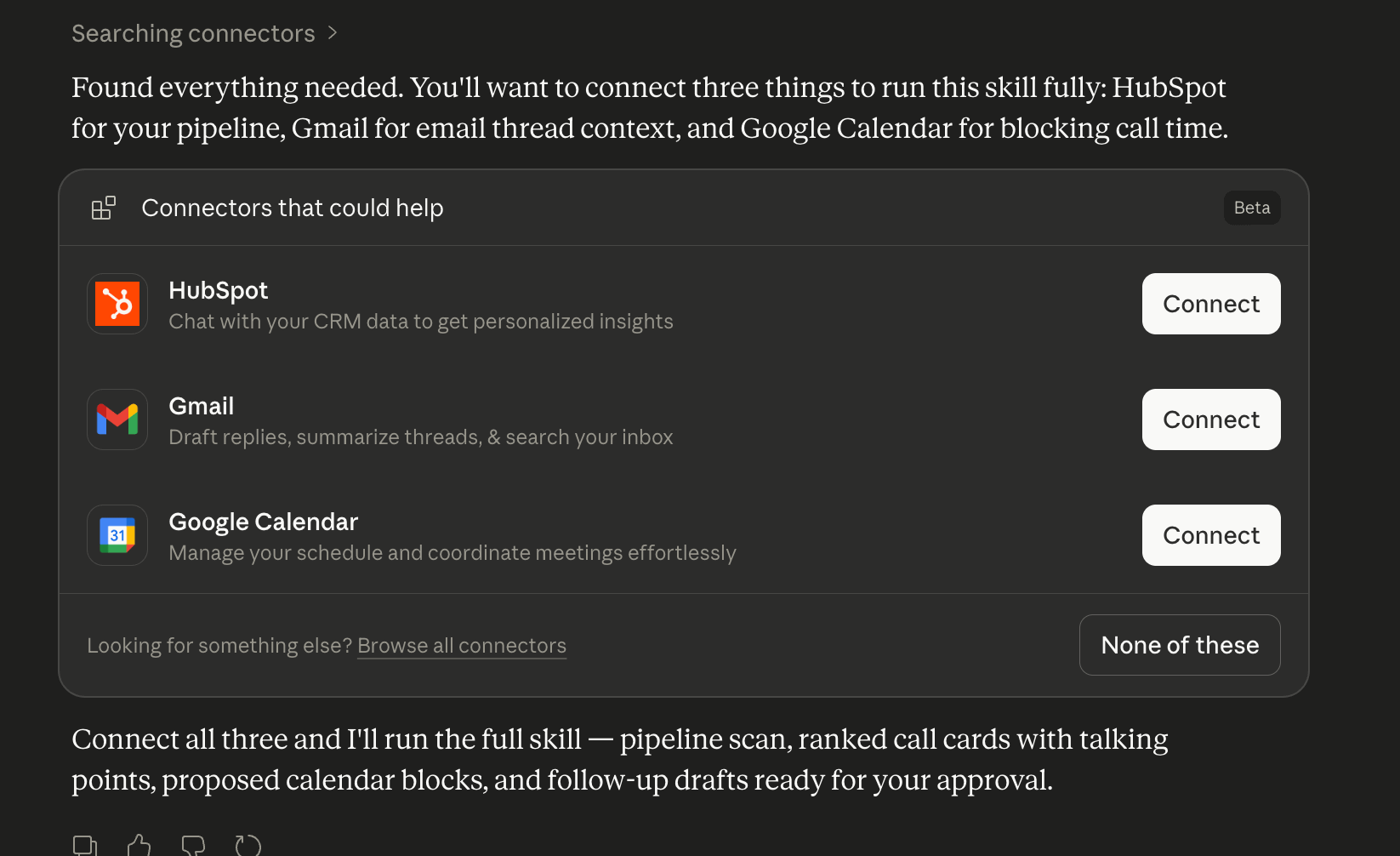
The first thing I would recommend doing before you run any workflow is typing one prompt into the chat bar. Ask Claude to customise the plugin for your business. It asks you a few questions about what you do, how many people are on your team, and what is hardest right now, and then it rewrites the defaults to match your actual operation. From that point, every skill it runs carries your context. Your industry, your priorities, the way you like things done. It gets more tailored every time you use it.
One thing worth knowing before you start. Some of the design and email staging features may need a higher tier in the connected tool, like Canva or HubSpot. If something is not available, the workflow tells you and offers a workaround rather than just failing silently. Small thing, but it matters.
So I looked at how this actually works under the hood rather than just repeating what the press release says.
What I found is that the architecture is fundamentally different from dropping your data into a public chat window.
How?
You initiate every single workflow, which means nothing is running in the background.
Nothing sends, posts, or pays without your explicit approval. I like this a lot because I highly value humans in the loop.
Your existing permissions carry over exactly as they are, meaning if someone on your team cannot see payroll details in QuickBooks today, they still cannot see them through Claude. The walls do not move just because AI is in the room.
Third, Anthropic does not train on your business data by default on their Team and Enterprise plans. What happens inside your business stays inside your business.
I am not saying trust it blindly. I am saying the architecture is genuinely different from what most people are already doing without thinking twice about it.
So here is what I would suggest. Do not try to boil the ocean.
Go to Claude for Small Business and look at the 15 workflows available.
Pick the one that maps to the single biggest time drain in your week right now. The invoice you keep chasing. The campaign you keep pushing back. The month end close follows you home every single time.
Start there. Run one workflow this week and see what it actually feels like to have that thing done without you doing it.
If you want to go deeper before you dive in, Anthropic partnered with PayPal to build a free AI Fluency for Small Business course taught by real business owners who have already done this.
Actual people running actual businesses show you what worked for them. That is worth an hour of your time before anything else.
The gap between what big companies can do with AI and what small businesses can do just got a lot smaller. The only question now is whether you are the first one in your market to figure that out, or the one watching someone else do it.
Talk soon,
Sameer Khan
Creator of Solve with AI.